Developer Lead Management in the UAE: Statuses, Round Robin and SLAs
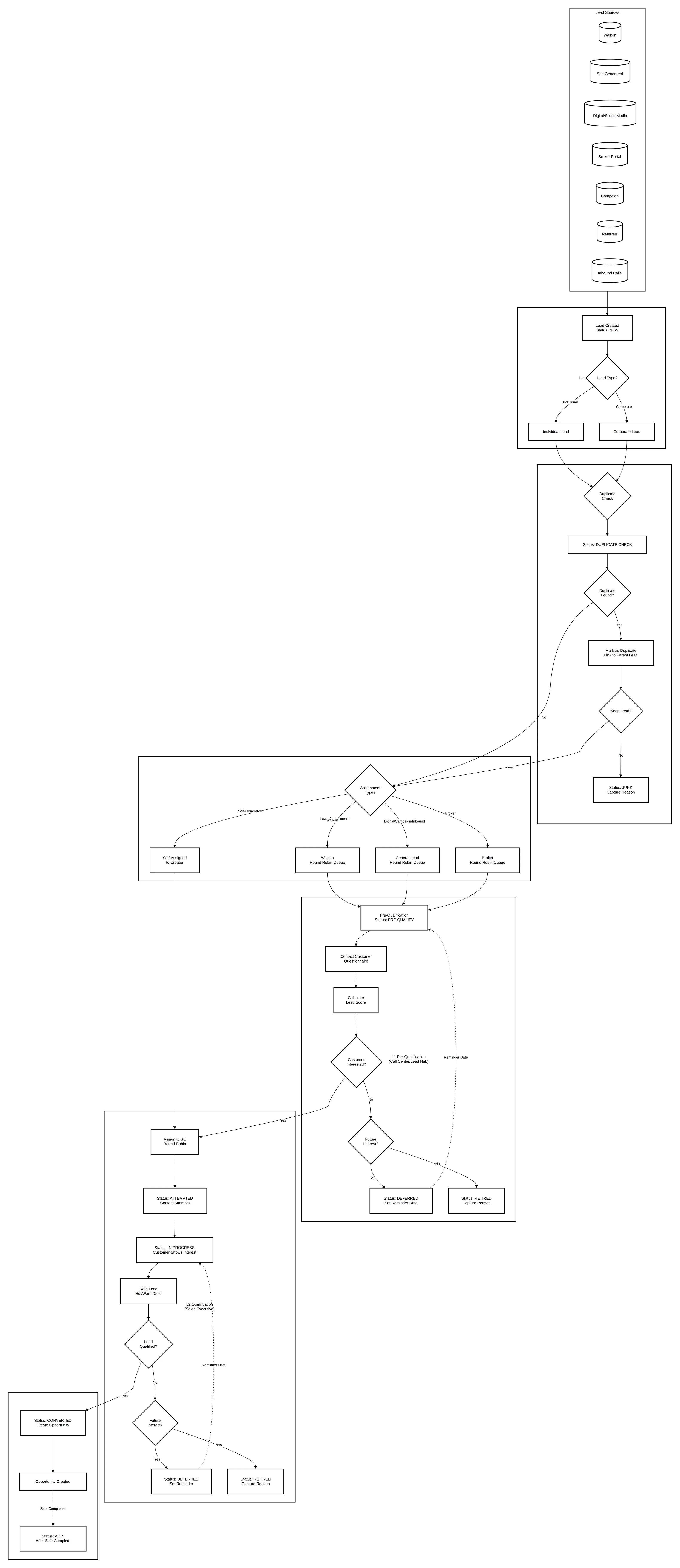
Developer lead management works when every enquiry has one source, one owner and one status that means the same thing to everyone. In practice that takes a source hierarchy, a duplicate check on every new lead, separate round-robin queues for walk-ins, general leads and broker leads, a two-step qualification, and SLAs that escalate to a manager when nobody acts.
This article is part of the developer CRM requirements playbook. It describes how UAE developers structure the lead stage before a lead becomes an opportunity, and where two developers we worked with chose different models.
Lead categories and types
Separate what the customer wants from who the customer is.
| Category | Meaning |
|---|---|
| Sales lead | Wants to buy a new unit from the developer's own inventory |
| Resale lead | Wants to buy a unit from an existing owner |
| Lease lead | Wants to rent a property |
Each category can be an individual lead or a corporate lead. Corporate leads need the company's registration details and its authorised signatories from the start, because the documents required at reservation are different. Capturing that early saves a returned booking later.
Lead sources: capture four levels
Record the source as a hierarchy: lead type, category, source, sub-source. A flat "source" field turns into a list of two hundred values within a year.
| Source | How the lead is created |
|---|---|
| Walk-in | The receptionist completes a KYC form; the lead is assigned through the walk-in round robin |
| Self-generated | A sales executive creates it and it stays with the creator |
| Digital and website | Created automatically from web forms and social campaigns, with the channel recorded |
| Broker | Submitted by a broker through the partner portal and assigned through the broker queue |
| Campaign and events | Tagged to a campaign with its name, period and status |
| Referral | Referred by an employee, tenant or existing customer, with "referred by" captured |
| Inbound call | Created by the call centre or lead hub from a phone enquiry |
The lead status lifecycle
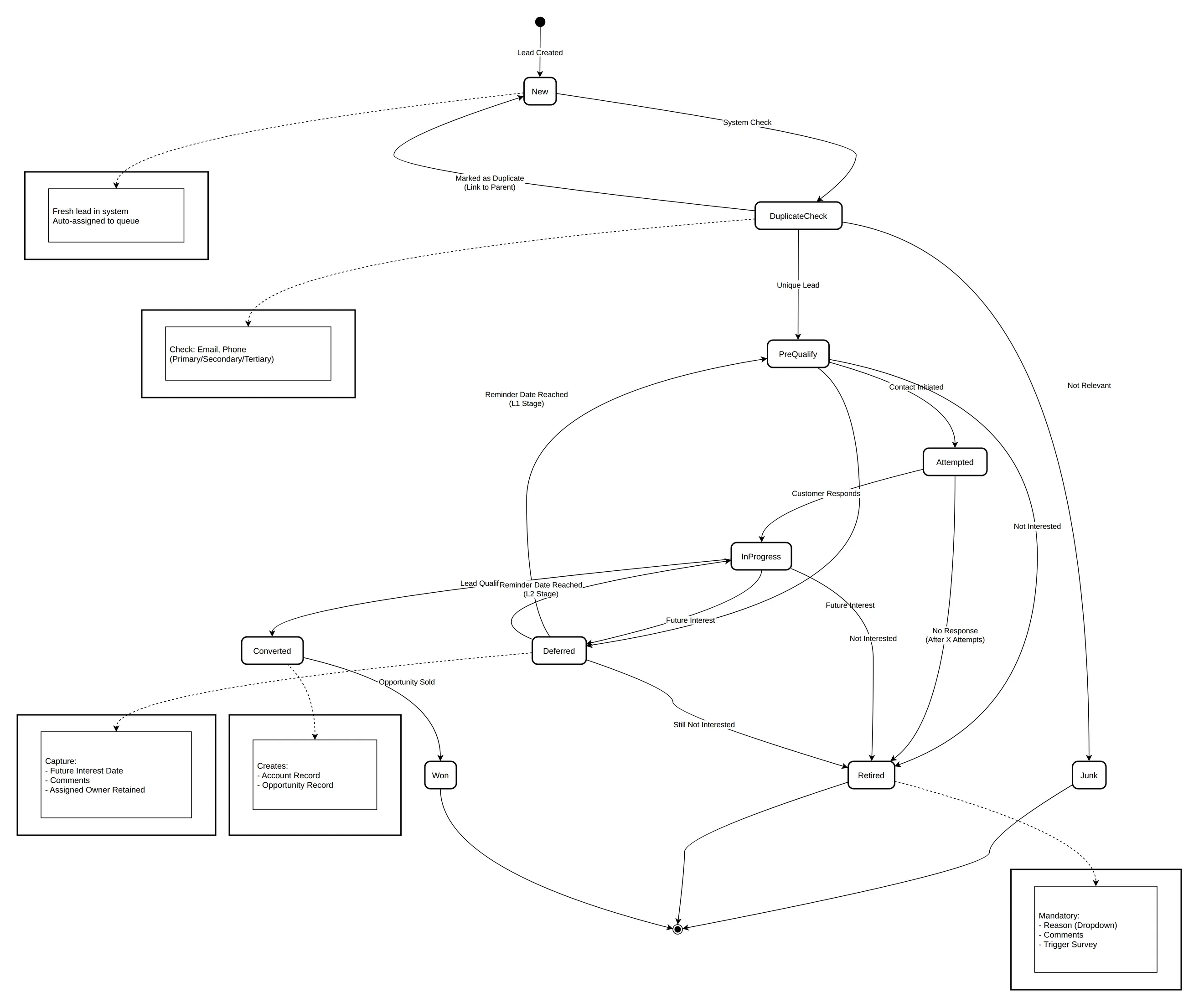
| Status | Meaning | Rule |
|---|---|---|
| New | Created, not yet worked | Starting status for every lead |
| Duplicate Check | A possible duplicate was found | Goes to the lead hub for a decision |
| Junk | Not relevant to the business | Reason and comment required |
| Attempted | Contact tried and failed | Follow-up activity created automatically |
| In Progress | Customer reached and interested | Active engagement |
| Deferred | Interested later | Reminder date required; stays with the owner |
| Retired | Not interested | Reason and comment required |
| Converted | Qualified and turned into an opportunity | Assigned to a sales executive |
| Won | The linked opportunity reached Sold | Set by the system, not by hand |
Two rules keep the data honest. Statuses that close a lead (Junk, Retired) always need a reason, so reports can tell bad sources from bad follow-up. And Won is derived from the sale, so no one can claim a won lead without a sold unit.
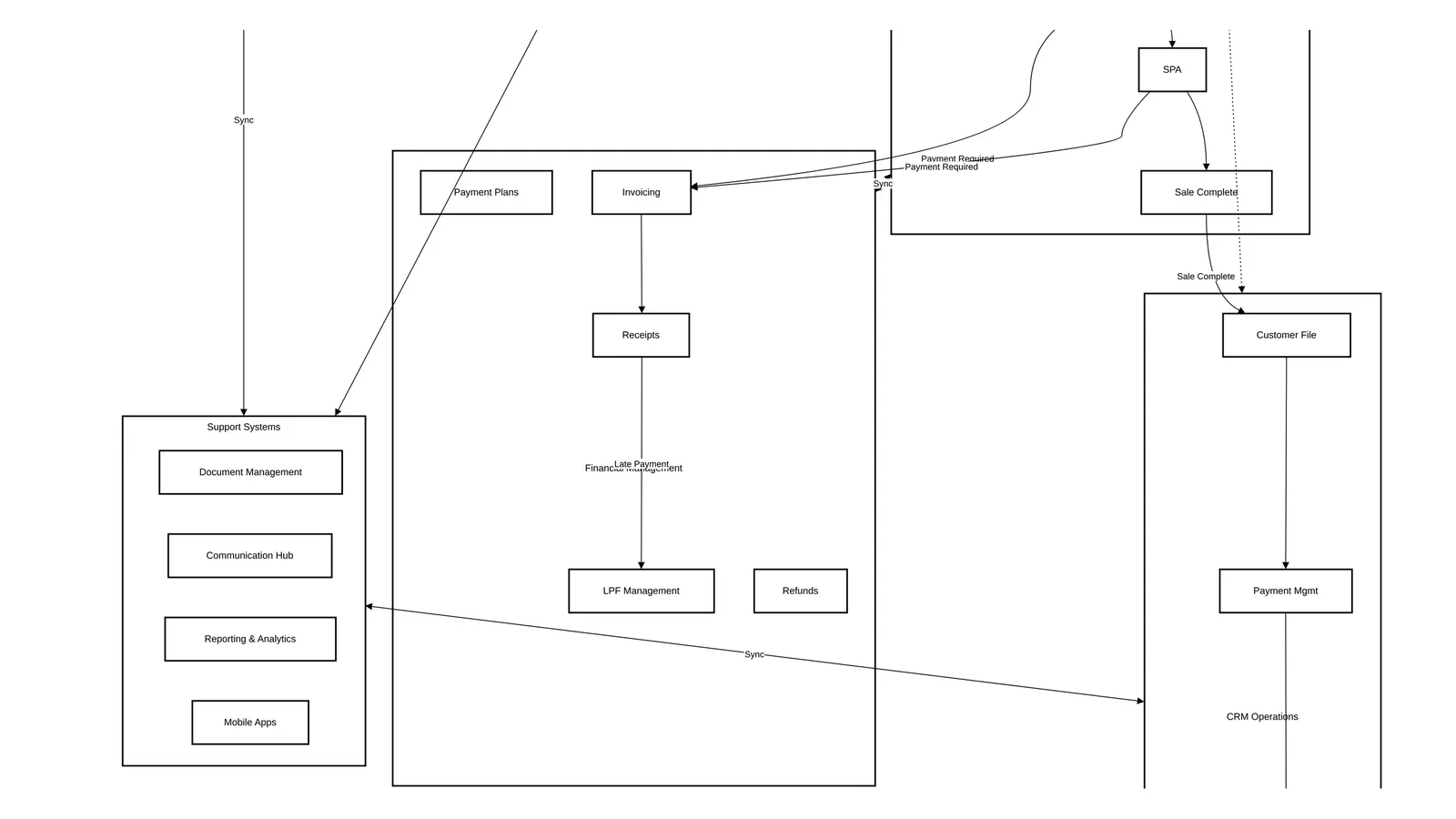
The end-to-end flow
Duplicate check
Every lead is checked when it is created:
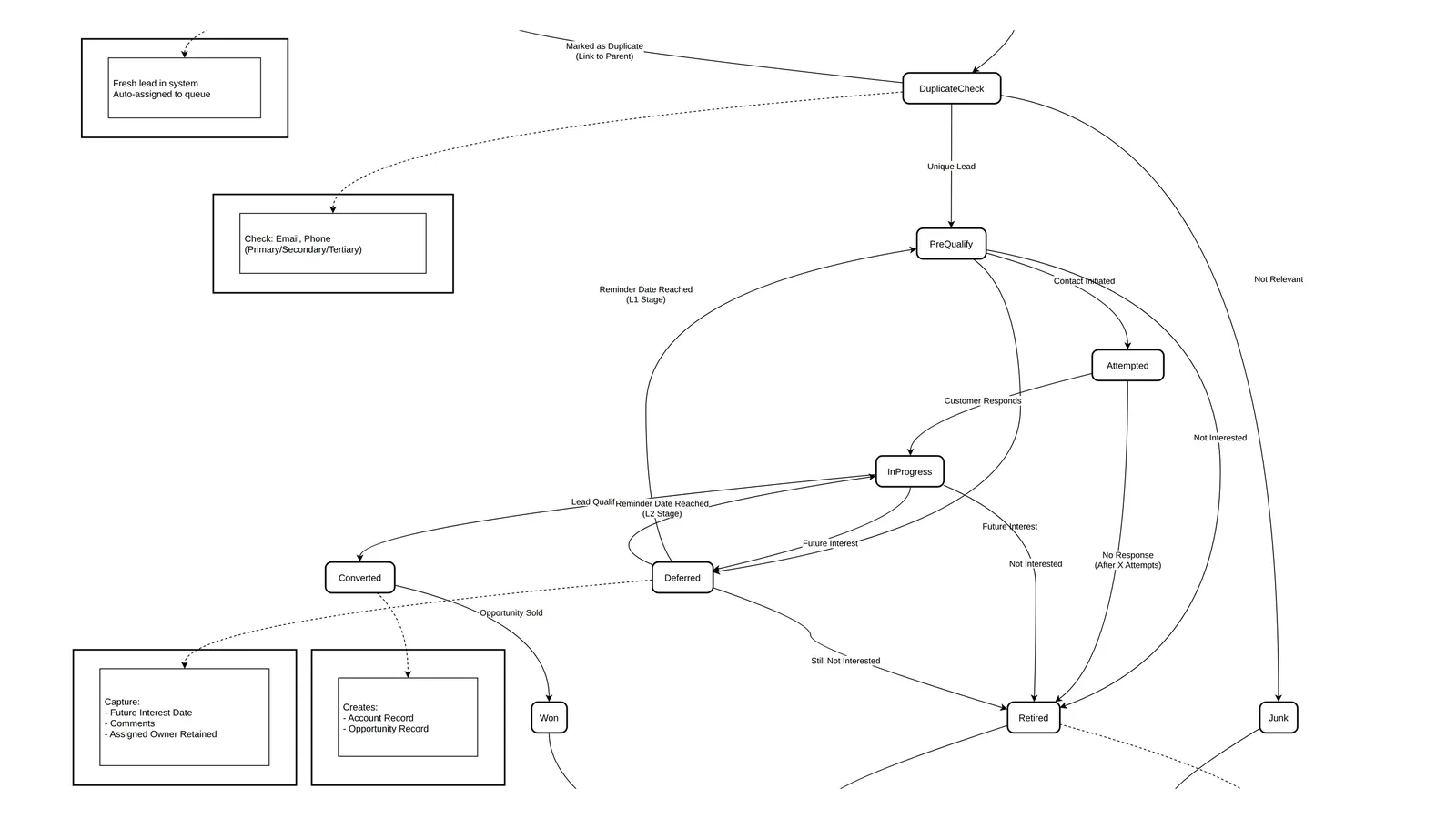
- Match on email, phone or both, across primary, secondary and tertiary contact details.
- Compare only against active leads, not retired or won ones, so a returning buyer is not blocked by an old record.
- List the possible duplicates for the lead hub to decide.
- When a salesperson creates a lead by hand, show a pop-up with the possible duplicates and let them continue with a reason.
- Link the duplicate to its parent lead and keep it inaccessible until the review is done, so two people do not call the same customer.
A second deduplication happens at the customer level when a lead is qualified, because the same person may already exist as a buyer from an earlier purchase.
Round-robin assignment
| Queue | Who it serves | Override |
|---|---|---|
| Walk-in round robin | Visitors at the sales centre, rotated across available sales executives | The receptionist can override, with a reason from a list plus free text |
| General round robin | Every lead that is not a walk-in or self-generated | A supervisor can reassign after an SLA miss or absence |
| Broker round robin | Broker leads created by the call centre | Standard reassignment rules |
Keep the queues separate even when the same team serves them. Walk-in fairness is a daily sales-floor issue; broker leads carry attribution that must survive reassignment.
L1 pre-qualification
The call centre or lead hub calls the customer with a fixed questionnaire. The answers produce a lead score. Junk is retired with a reason. A customer who wants to be contacted later is marked Deferred with a date, and the system reactivates the lead and notifies the owner on that date. Pre-qualified leads go to a sales executive through the round robin.
L2 qualification
The sales executive calls again and makes an independent judgement: Hot, Warm or Cold. Click-to-call through the phone system logs the call and enriches the record. When the customer wants to buy, the executive converts the lead to an opportunity. That conversion creates the customer account, the contact and the opportunity, and the lead's history moves with them.
SLAs and escalation
- Every step has an SLA, and a missed SLA escalates to the line manager.
- The escalation matrix and SLA values are configured per community, because a luxury villa launch and a high-volume apartment launch need different response times.
- A failed contact attempt sends the customer an SMS or email from a configurable template.
- After three unsuccessful attempts on different days, a second notification goes out.
Measure the SLA from the moment the lead is assigned, not from creation, or the lead hub's queue time is hidden inside the salesperson's numbers.
Approaches compared: lead hub or call centre
Two developers organised the first contact differently.
| Role | Developer A | Developer B |
|---|---|---|
| First contact | Lead hub executive | Call centre |
| Assignment | Lead hub executive | Call centre |
| Deduplication | Lead hub executive | Lead hub |
| Centralised lead hub (Developer A) | Distributed call centre (Developer B) | |
|---|---|---|
| Strengths | One point of quality control, consistent pre-qualification, more accurate lead scores | Faster response, specialised teams, scales with volume |
| Weaknesses | Can become a bottleneck, needs specialised training, single point of failure | Quality varies, needs more coordination, risk of duplicate effort |
| Best for | Lower volume, higher-value property, complex qualification | High volume, several launches at once, wide geography |
A hybrid is common: a central hub owns deduplication and the scoring script, while call-centre agents do the first call at launch peaks.
Reports to build from day one
- Leads created in a period, by agent and status
- Lead aging for a period
- Conversion rate by source and by agent
- Leads by source and sub-source
- Exceptions: leads once rated Hot that were later retired or disqualified
- Last interaction per customer
Exception reports are the most useful of these. A Hot lead that later turns to Retired usually means a slow follow-up or a pricing objection, not a bad lead.
Common mistakes
- One queue for everything. Walk-ins and broker leads have different fairness and attribution rules.
- Free-text loss reasons. Without a fixed list, nobody can tell why leads are retired.
- Deduplicating against closed leads. A buyer from three years ago is a returning customer, not a duplicate.
- Manual Won status. Let the sale set it.
- Losing the broker on merge. If a broker's lead is merged into an existing one, keep the broker's submission and timestamp on record. Registration and protection rules belong in the broker agreement.
How Nogbase handles leads
Nogbase's Developer App connects eligible Meta lead forms through Settings → Lead Channels and keeps each lead's source; see Facebook and Instagram broker lead management. Brokers register with the developer through the broker registry and submit EOIs and reservation requests against specific projects or units, so broker attribution is recorded with the request. Nogbase does not replace a full call-centre CRM with scoring scripts, round-robin queues or SLA escalation, and it can run alongside one.
Next in the series: off-plan inventory management and the unit status lifecycle.
Frequently asked questions
What lead statuses should a developer CRM use?
A workable set is New, Duplicate Check, Junk, Attempted, In Progress, Deferred, Retired, Converted and Won. Junk and Retired need a mandatory reason, Deferred needs a reminder date, and Won should follow automatically when the linked opportunity is sold.
How should a developer check for duplicate leads?
Match on email, phone or both, across primary, secondary and tertiary contacts, and only against active leads. Hold the suspected duplicate for a lead-hub decision and link it to the parent lead instead of letting two salespeople call the same buyer.
What is the difference between L1 and L2 lead qualification?
L1 pre-qualification is a scripted call by the call centre or lead hub that scores the lead, discards junk and defers future interest. L2 qualification is the sales executive's own assessment, rated Hot, Warm or Cold, ending in conversion to an opportunity when the customer wants to buy.
How do round-robin queues handle walk-ins and broker leads?
Use separate queues. Walk-ins rotate across available sales executives with a receptionist override that needs a reason. Website, campaign and call leads use a general queue. Broker leads created by the call centre use a broker queue, so broker attribution is not lost.
Should broker leads be deduplicated against the developer's own leads?
They should be checked, but the decision about who owns the customer belongs to an agreed registration rule, not to whoever was entered first. Keep the broker's submission and timestamp on record even when the lead is merged.

Keep Reading
Real Estate Developer CRM Requirements: The End-to-End Playbook
What a developer CRM must cover from lead to title deed: leads, inventory, blocks, reservations, SPA, post-sales, finance, commission, data model and reports.